Dit is deel 2 van onze serie over hoe Gylder werkt. In het vorige bericht hadden we het over waarom een enkel financieel dashboard belangrijk is. Nu kijken we naar de eerste stap: je bank koppelen.
Hoe open banking werkt
In 2018 introduceerde de Europese Unie PSD2 — een verordening die je het recht geeft om je bankgegevens te delen met geautoriseerde derde partijen. Dit betekent dat je Gylder alleen-lezen toegang kunt geven tot je rekeningsaldi en transacties, zonder je bankwachtwoord te delen.
Zo werkt het in de praktijk:
- Je kiest je bank uit een lijst van ondersteunde instellingen
- Je wordt doorgestuurd naar de eigen inlogpagina van je bank
- Je logt in en keurt de koppeling goed
- Je bank stuurt je gegevens naar Gylder via een beveiligde API
Op geen enkel moment ziet of bewaart Gylder je inloggegevens. Je bank handelt de authenticatie rechtstreeks af.
Welke gegevens we ontvangen
Wanneer je een bankrekening koppelt, ontvangen we:
- Rekeningsaldi — Je huidige en beschikbare saldo
- Transacties — Je transactiegeschiedenis (inkomsten en uitgaven)
- Rekeninggegevens — Rekeningnaam, IBAN en valuta
We ontvangen niet je inloggegevens, kaartnummers of de mogelijkheid om betalingen te doen. De koppeling is strikt alleen-lezen.
Hoe synchronisatie werkt
Eenmaal gekoppeld, worden je bankgegevens automatisch ververst. Gylder synchroniseert je saldi dagelijks, zodat je dashboard altijd je actuele financiële positie weerspiegelt.
Je kunt ook op elk moment handmatig synchroniseren door op de ververs-knop te tikken op je dashboard. Er is een limiet om overmatige API-aanroepen te voorkomen — je ziet een afteltimer als je moet wachten.
Wanneer een synchronisatie voltooid is, wordt je vermogensgrafiek direct bijgewerkt. Als je meldingen hebt ingeschakeld, word je op de hoogte gesteld van significante veranderingen.
Welke banken worden ondersteund?
Gylder ondersteunt de meeste Europese banken via onze open banking-provider. Dit omvat grote instellingen in Nederland, Duitsland, België, Frankrijk en vele andere EU-landen.
Wanneer je het koppelproces start, zie je een doorzoekbare lijst van alle ondersteunde banken. Als je bank er niet bij staat, kun je je saldi alsnog bijhouden met handmatige invoer — dat behandelen we in een later bericht.
Meerdere rekeningen, één overzicht
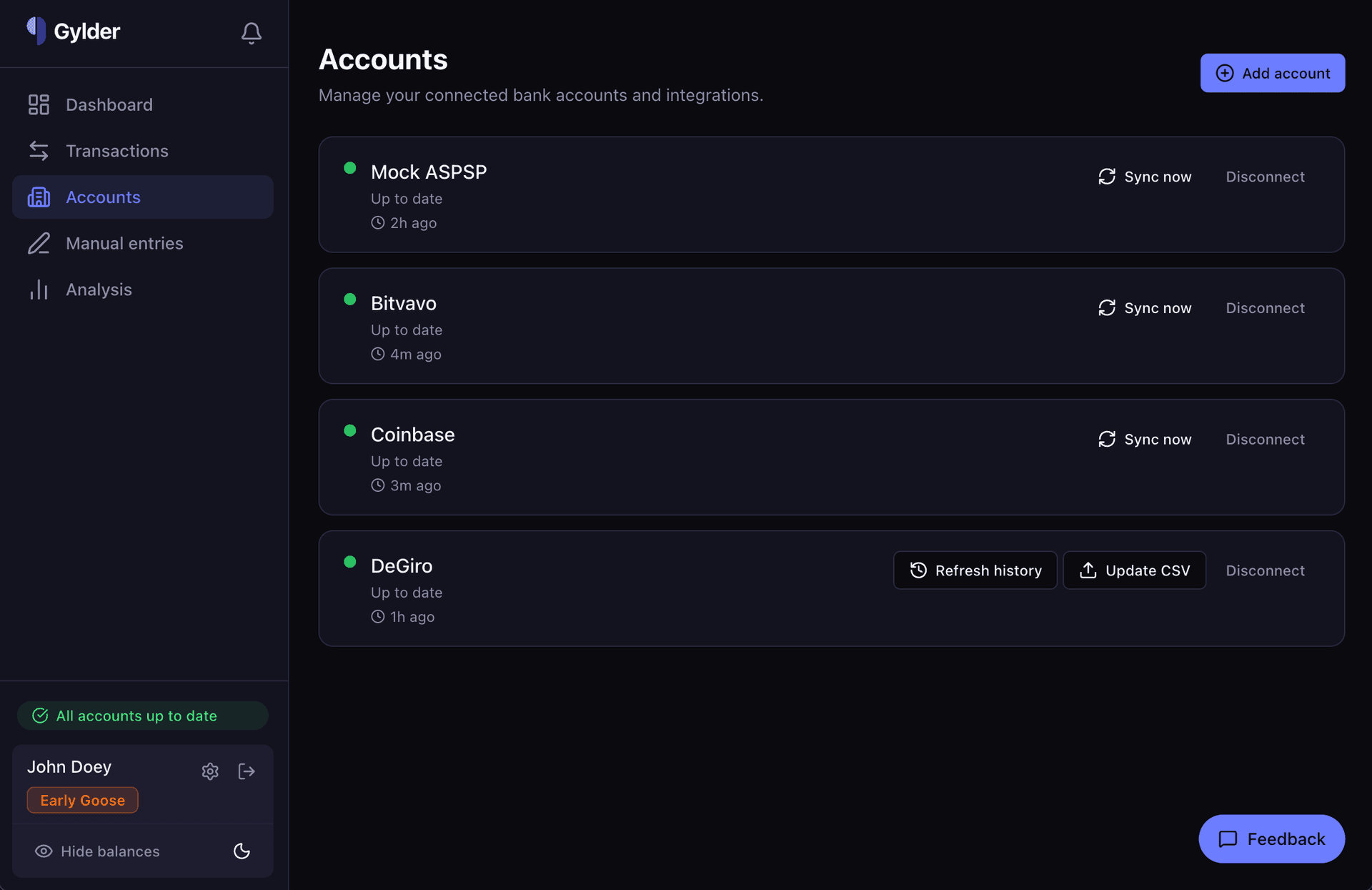
De meeste mensen hebben meer dan één bankrekening — een betaalrekening, een spaarrekening, misschien een gezamenlijke rekening. Je kunt er zoveel koppelen als je wilt. Elke rekening verschijnt individueel in je dashboard, en ze dragen allemaal bij aan je totale vermogen.
Als je later een rekening ontkoppelt, wordt deze met terugwerkende kracht verwijderd uit je historische gegevens. Dit betekent dat je vermogensgrafiek altijd de rekeningen weerspiegelt die je momenteel gekoppeld hebt — geen achtergebleven data van oude rekeningen.
Je transacties, georganiseerd
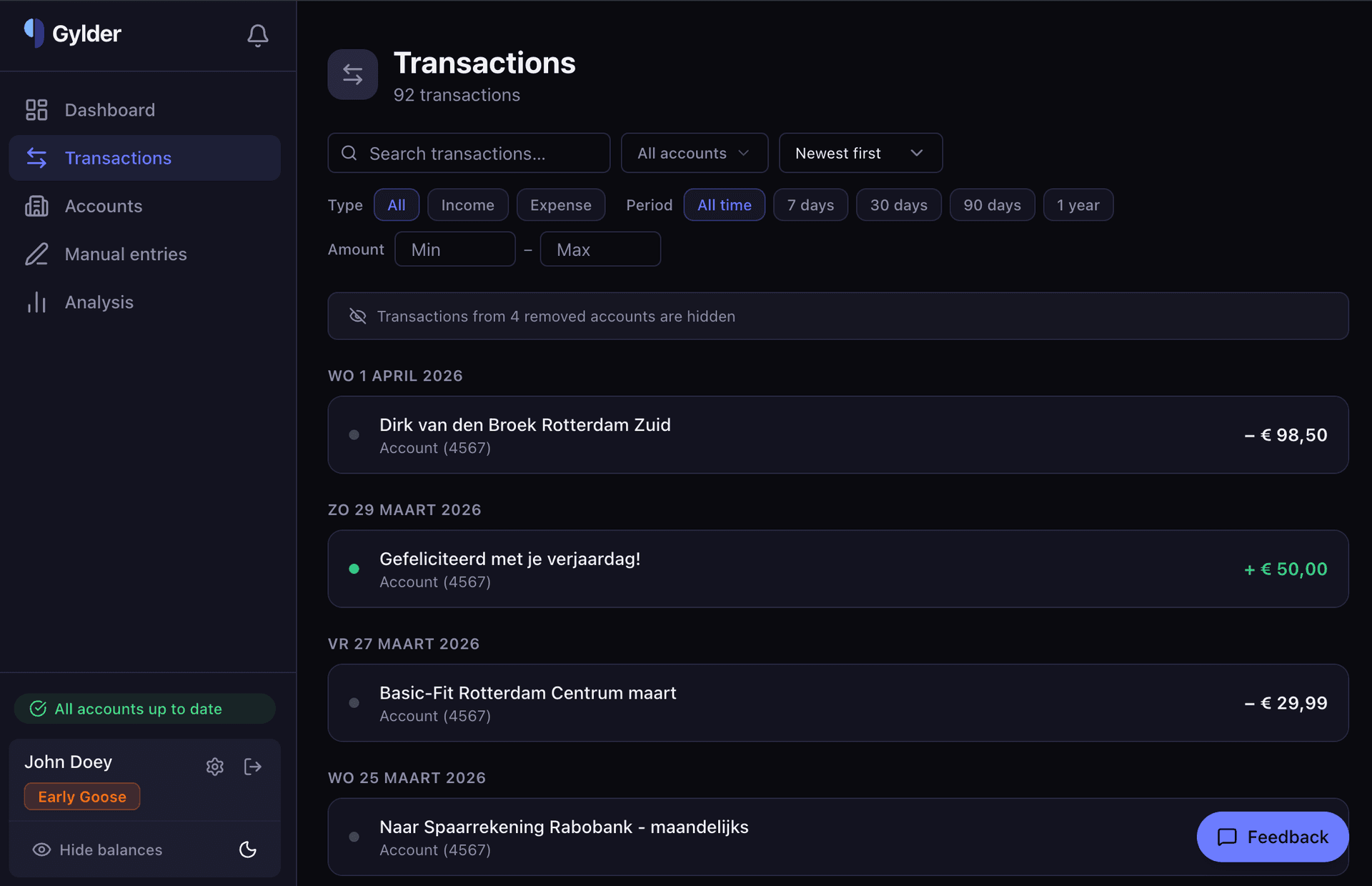
Elke transactie van je gekoppelde bankrekeningen komt terecht in een uniforme activiteitenfeed. Je kunt filteren op type (inkomsten of uitgaven), periode en bedrag — waardoor het eenvoudig is om specifieke transacties te vinden over al je rekeningen heen.
Beveiliging
Bankkoppelingen gebruiken versleuteling tijdens transport en je financiële gegevens zijn versleuteld in opslag met een unieke sleutel per gebruiker. We duiken dieper in onze beveiligingsarchitectuur in een later bericht in deze serie.
Volgende: Crypto bijhouden via Bitvavo, Kraken en Coinbase →